

Download for Windows
One installer. It runs against the Inventor 2025 and Vault workspace already on your PC; GMM's cloud service supplies enquiry parsing, the past-builds catalog, the expert and updates.
⬇ Download GMM-SwagedDish-Setup.exeWindows 10 / 11admin only if PowerShell 7 is missingInventor 2025Vault workspaceauto-updates
Install
- Run
GMM-SwagedDish-Setup.exe. If SmartScreen appears: More info → Run anyway. If your PC has no PowerShell 7 yet, the installer installs its bundled copy — Windows asks for permission once. - Keep the install folder and cloud URL; paste the installation key from the design office; confirm the Vault root (
D:\Vault). - Click Install. The Walm icon appears next to the clock and the designer opens.
Your PC needs
- ✓Autodesk Inventor 2025 — the automation drives this version.
- ✓Vault working folder with the inner-parts library synced (dished ends, stub ends, manhole stumps).
- ✓PowerShell 7 — bundled in the installer (needs admin permission for that one step if it is missing).
- ✓Installation key — ask the design office.
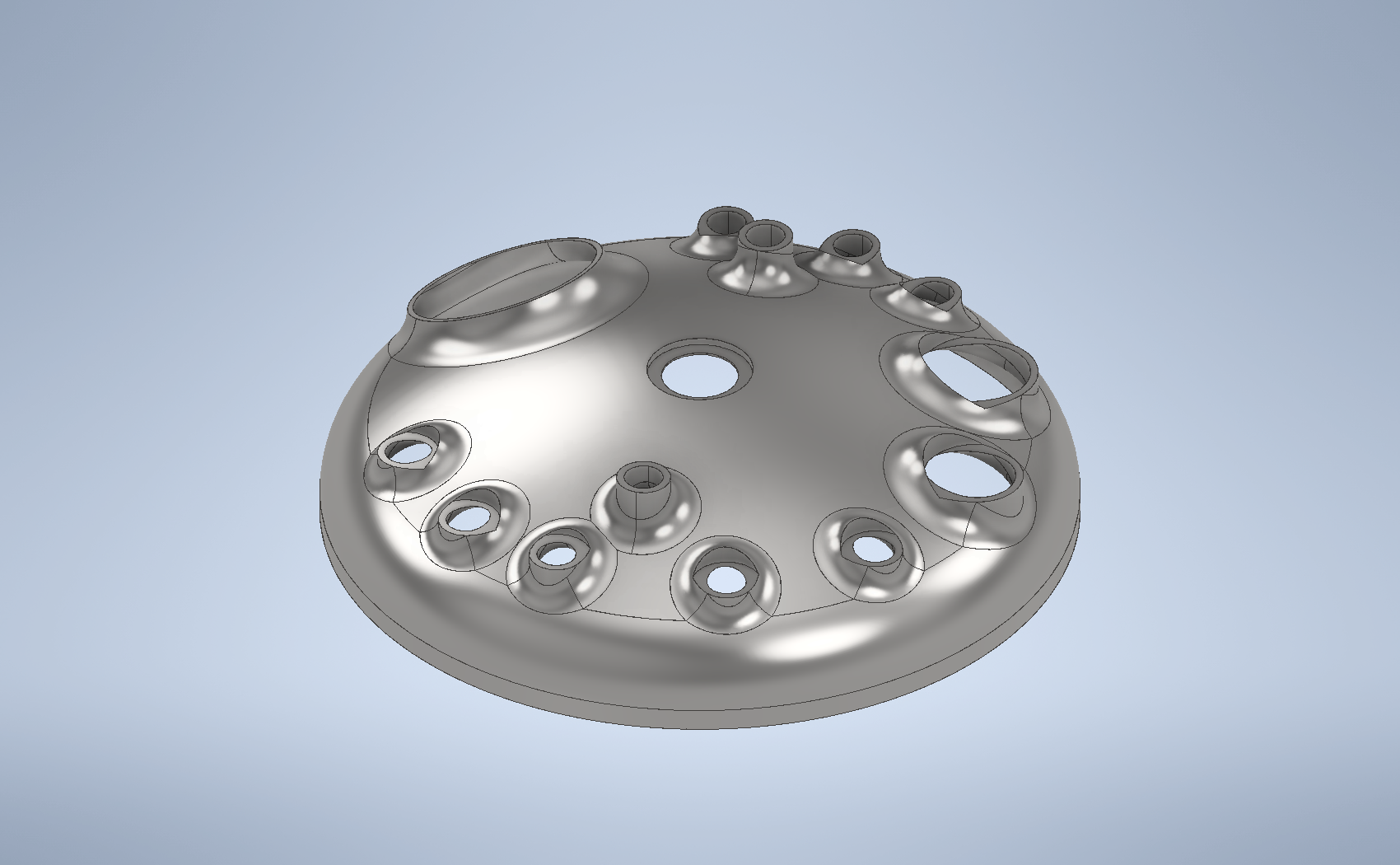
A 6.3 KL swaged top dished end as the app builds it: dome, swaged and trimmed nozzles, manhole, stub ends — about six minutes from the enquiry PDF.
What the app does
EnquiryReads the customer's OFN PDF and finds the closest past GMM build.
Nozzle planEditable table with live rule checks (keep-out, flange clearance, bore = DN + 3).
BuildDome, nozzles, swage fillets, trims, manhole and centre necks, stub ends — on your own Inventor.
OutputNative .iam/.ipt on your PC plus a portable STEP for customers.
VersionsTweak the table and generate again — v1, v2, … all kept.
What's new
…